
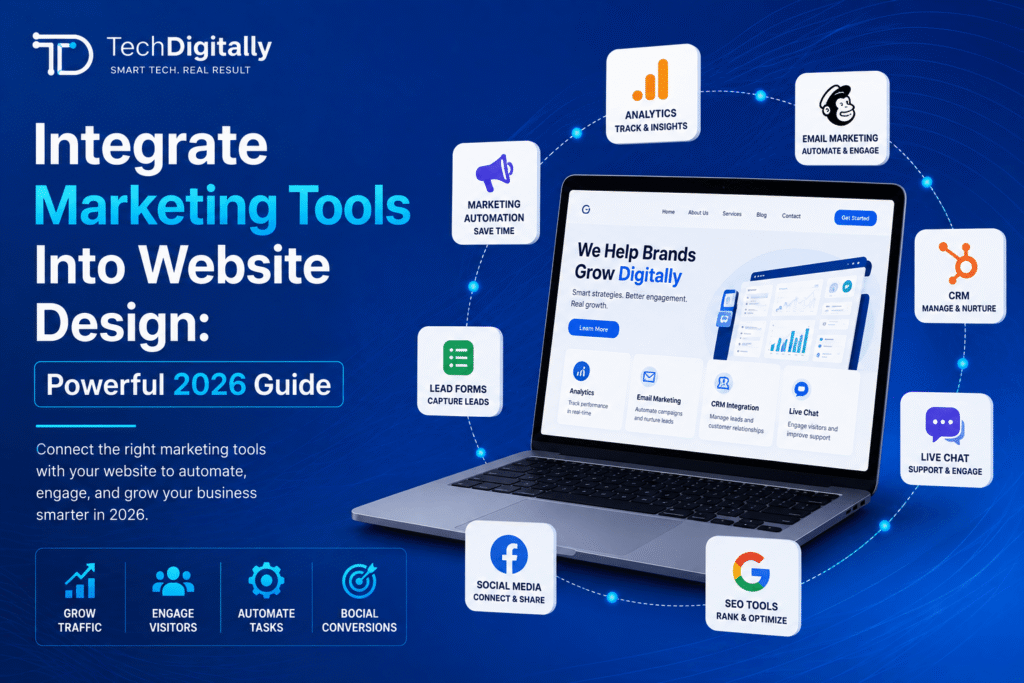
Integrate Marketing Tools Into Website Design: Powerful 2026 Guide
Modern websites are more than digital brochures. They are acquisition, marketing, analytics, and conversion platforms that connect businesses with prospects throughout the customer journey.
However, every analytics pixel, chat widget, advertising script, CRM integration, automation tool, and personalization feature can add complexity to a website. Without proper planning, these integrations can slow pages, create tracking errors, duplicate data, disrupt mobile experiences, and make marketing attribution difficult.
Businesses should therefore integrate marketing tools into website design from the planning stage rather than adding disconnected tools after development is complete.
A well-planned marketing technology stack can help businesses collect accurate data, automate lead management, personalize customer experiences, measure campaigns, and improve conversions without unnecessarily damaging website performance.
Platforms such as HubSpot, Salesforce, Marketo, Google Analytics, Google Tag Manager, email marketing platforms, advertising networks, and customer support tools can all play important roles. The challenge is making these systems work together efficiently.
The best approach is to design the website around the customer journey first and then integrate the technology required to measure, support, and improve that journey.
Why You Should Integrate Marketing Tools Into Website Design
Marketing tools are most effective when they are considered part of the website architecture rather than independent add-ons.
When marketing technology is added without planning, businesses can experience:
- Slow page loading
- Excessive JavaScript
- Duplicate tracking
- Missing conversion data
- Broken form submissions
- Incorrect UTM attribution
- CRM synchronization problems
- Poor mobile experiences
- Conflicting scripts
- Consent and privacy issues
- Inaccurate campaign reporting
By contrast, a coordinated implementation allows developers and marketing teams to decide which tools are necessary, where they should be loaded, what data they should collect, and how information should move between platforms.
The objective is not to install as many marketing tools as possible. The objective is to create a technology stack that supports business goals while keeping the website fast, accessible, secure, and easy to use.
Design for Conversion, Then Instrument for Insight
The first priority should always be the customer experience.
Tracking scripts, pop-ups, chat tools, forms, recommendation engines, and other marketing technology should support the buyer journey rather than interrupt it.
For example, a lead-generation page might include:
- A clear headline
- Supporting value proposition
- Relevant proof or case studies
- A simple lead form
- A strong call to action
- Supporting trust signals
- Appropriate analytics events
Tracking can then be added to understand how users interact with these elements.
This approach prevents businesses from designing websites around technology instead of designing technology around customers.
Build a Conversion-Focused Website Architecture
Before development starts, identify the primary conversion actions.
These might include:
- Contact form submissions
- Demo requests
- Consultation bookings
- Product purchases
- Newsletter subscriptions
- Downloads
- Phone calls
- Account registrations
- Free trial sign-ups
Once these actions are identified, developers can create the necessary tracking and integrations around them.
For example, a form submission could trigger:
Website Form → Analytics Event → CRM Contact → Lead Source → Email Automation → Sales Notification
This creates a connected journey from the first website interaction to the sales process.
Integration Priorities for 2026
Not every marketing tool needs to be integrated on day one.
Prioritize integrations according to business value, data requirements, and customer impact.
1. Analytics Integration
Analytics provides visibility into how visitors interact with your website.
Important events may include:
- Page views
- Scroll depth
- Button clicks
- Form starts
- Form submissions
- File downloads
- Video interactions
- Phone clicks
- Email clicks
- Appointment bookings
- Purchases
Instead of tracking every possible interaction, define the events that actually support business decisions.
2. CRM Integration
A CRM should receive relevant lead information from website forms and other conversion channels.
A typical flow might look like:
Website → Form → CRM → Lead Source → Sales Pipeline
Useful information can include:
- Name
- Company
- Service requested
- Landing page
- Campaign source
- UTM parameters
- Conversion date
- Lead status
This allows sales teams to understand where leads originated and which marketing activities are generating opportunities.
3. Email Marketing Integration
Email platforms can automate communication after a website conversion.
For example:
Website Form → CRM → Email List → Welcome Email → Nurture Sequence
Depending on the business, email automation can support:
- Lead nurturing
- Product education
- Abandoned-cart recovery
- Newsletter subscriptions
- Customer onboarding
- Webinar registration
- Promotional campaigns
Forms should only subscribe users to appropriate communications and should respect applicable consent requirements.
Use Google Tag Manager to Manage Tracking
Google Tag Manager can centralize many marketing and analytics tags instead of requiring developers to manually add every tracking script to individual pages.
A structured tag management system can make it easier to:
- Add tracking tags
- Configure triggers
- Manage variables
- Test events
- Remove outdated tags
- Document tracking logic
However, using a tag manager does not automatically make a website faster.
A website can still become overloaded if dozens of unnecessary tags are deployed through the tag manager.
The goal should be centralization plus governance, not unlimited tag deployment.
Create an Event Naming Convention
Before implementing analytics, establish consistent event names.
For example:
form_startform_submitdemo_requestcontact_clickphone_clickdownload_resourcebook_consultation
A consistent naming convention makes reports easier to understand and reduces duplicate or confusing data.
Document:
- Event name
- Event purpose
- Trigger
- Parameters
- Destination
- Responsible team
This becomes particularly important as marketing teams and websites grow.
CRM and Website Form Integration
Forms are among the most important connections between a marketing website and a CRM.
A form that looks perfect visually is useless if submissions fail to reach the sales team.
Test forms across:
- Chrome
- Safari
- Firefox
- Edge
- Mobile browsers
- Different screen sizes
Also test what happens after submission.
A reliable process should confirm:
- The user receives confirmation.
- The lead reaches the CRM.
- The correct source is recorded.
- The correct campaign information is stored.
- The sales team receives the appropriate notification.
- The lead enters the correct workflow.
Preserve UTM Parameters
UTM parameters help identify where website traffic originated.
Common parameters include:
utm_sourceutm_mediumutm_campaignutm_termutm_content
For example, a paid campaign might use:
Source: Google
Medium: Paid Search
Campaign: Summer Services
The challenge is preserving this information when a visitor moves through multiple pages before completing a form.
Your website should be designed to capture relevant campaign information and pass it to the CRM where appropriate.
Maintain Message Match Across Marketing Channels
Message match means maintaining consistency between the marketing message that brings a visitor to the website and the content they see after arriving.
For example, if an advertisement promotes:
“Free SEO Audit for Small Businesses”
the landing page should immediately communicate the same offer.
A mismatch can create confusion.
Visitors may leave if:
- The headline changes completely
- The offer disappears
- The pricing is different
- The design looks unrelated
- The call to action is unclear
Consistent messaging can improve trust and create a smoother customer journey.
Connect Paid Advertising With Website Data
Marketing websites often receive visitors from:
- Google Ads
- Meta Ads
- LinkedIn Ads
- TikTok Ads
- Organic search
- Email campaigns
- Referral traffic
- Direct traffic
Each channel should be measured as accurately as possible.
Connect advertising platforms with appropriate analytics and conversion tracking so marketing teams can evaluate which campaigns generate meaningful results.
Consent Management and Privacy
Marketing technology increasingly requires careful consideration of privacy and consent.
Depending on where your users are located and what data you collect, you may need appropriate consent mechanisms and privacy controls.
Your implementation should consider:
- Cookie preferences
- Analytics consent
- Advertising consent
- Marketing email consent
- Data retention
- Privacy policies
- Regional privacy requirements
Consent management should be considered during development rather than added after every marketing script has already been installed.
For businesses operating internationally, legal and privacy requirements can vary by jurisdiction, so appropriate professional advice may be necessary.
Performance Budgets for Marketing Technology
Every third-party script has the potential to affect website performance.
Common examples include:
- Analytics scripts
- Chat widgets
- Advertising pixels
- Heatmap software
- Session recording
- Social media widgets
- A/B testing tools
- Recommendation engines
- Customer support tools
A good development team should establish performance budgets before adding large numbers of integrations.
For example, evaluate each tool based on:
- JavaScript size
- Number of requests
- Execution time
- Loading behavior
- Business value
- Frequency of use
If a tool provides minimal value while creating significant performance overhead, reconsider whether it belongs on every page.
Lazy Loading and Conditional Loading
Not every marketing script needs to load immediately.
Depending on the tool and implementation, non-critical functionality may be loaded:
- After user interaction
- After the main content loads
- During browser idle time
- Only on specific pages
- Only after appropriate consent
For example, a chat widget may not need to load on a blog article immediately if the primary objective is simply reading the content.
Likewise, a tool used only on a checkout page should not necessarily load across the entire website.
Conditional loading can reduce unnecessary page weight.
Server-Side Tracking
Some businesses may benefit from server-side tracking approaches.
Instead of sending every marketing event directly from the browser, selected data can be processed through a server-side environment before being sent to supported platforms.
Potential benefits include:
- Greater control over data
- Reduced client-side JavaScript
- Improved measurement resilience
- Better control over sensitive information
- Potential performance improvements
However, server-side tracking is not automatically better for every website. It requires appropriate architecture, technical expertise, privacy considerations, and ongoing maintenance.
Heatmaps and Session Recording
Heatmaps and session-recording tools can provide valuable insights into user behavior.
They can help identify:
- Where users click
- How far users scroll
- Which sections receive attention
- Where users abandon forms
- Which navigation elements are confusing
However, these tools should be used strategically.
Installing session recording across every page may create unnecessary performance and privacy considerations.
A better approach is to start with important templates such as:
- Landing pages
- Pricing pages
- Service pages
- Checkout pages
- High-traffic conversion pages
Analyze the results and expand usage only when there is a clear business reason.
Marketing Automation and Website Integration
Marketing automation can turn website interactions into personalized workflows.
For example:
Website Visit → Content Download → CRM Contact → Lead Scoring → Email Sequence → Sales Notification
Automation can help marketing teams:
- Nurture leads
- Segment audiences
- Trigger follow-up emails
- Assign leads to sales representatives
- Update CRM fields
- Notify sales teams
- Track customer journeys
However, automation should be carefully planned.
Poorly designed automation can result in:
- Duplicate emails
- Incorrect lead assignments
- Conflicting workflows
- Poor personalization
- Spam complaints
- Bad customer experiences
Integrating WordPress With Marketing Platforms
WordPress websites can integrate with many marketing platforms through:
- Native plugins
- APIs
- Webhooks
- Middleware
- Custom PHP development
- JavaScript integrations
For simpler workflows, middleware platforms can connect applications without extensive custom development.
For more complex requirements, custom API integration may be appropriate.
For example:
WordPress → Custom API → CRM → Marketing Automation Platform
The correct approach depends on:
- Data requirements
- Security
- Volume
- Budget
- Maintenance requirements
- Existing infrastructure
Test Integrations Before Launch
Never assume that an integration works simply because the plugin or API has been installed.
Create a testing checklist.
Form Testing
- Submit every important form
- Test required fields
- Test invalid submissions
- Verify confirmation messages
- Confirm CRM delivery
Analytics Testing
- Trigger important events
- Verify event names
- Check parameters
- Confirm conversion tracking
CRM Testing
- Confirm contact creation
- Check lead-source attribution
- Verify campaign information
- Test duplicate handling
- Confirm notifications
Email Testing
- Verify automation triggers
- Test unsubscribe functionality
- Check email personalization
- Test mobile email rendering
Work With a Unified Design and Development Team
Marketing technology works best when design, development, SEO, analytics, and marketing teams collaborate.
Silos can create problems such as:
- Forms that look good but do not sync
- Chat widgets covering mobile CTAs
- Tracking scripts slowing down pages
- Missing campaign attribution
- Duplicate analytics events
- Broken automation workflows
- Inconsistent landing-page messaging
TechDigitally can approach website projects as connected systems rather than isolated design and development tasks, combining UI/UX, web development, CRM solutions, digital marketing, and analytics requirements into one workflow.
A Practical Marketing Technology Architecture
A well-planned website ecosystem may look like:
Visitor
↓
Website
↓
Analytics + Consent Management
↓
CRM
↓
Email Automation
↓
Sales Team
↓
Reporting & Optimization
Advertising platforms can feed visitors into the website, while conversion and campaign information can flow back into analytics and supported advertising systems.
This creates a connected ecosystem where marketing teams can understand the customer journey from acquisition to conversion.
How to Keep Your Marketing Stack Clean
A marketing stack should be reviewed regularly.
Every quarter, review:
- Active scripts
- Tracking tags
- Plugins
- CRM integrations
- Automation workflows
- Chat widgets
- Advertising pixels
- Analytics tools
- Heatmap software
Remove tools that are:
- No longer used
- Duplicating another tool
- Producing unreliable data
- Creating excessive performance overhead
- No longer required by the marketing team
A smaller, well-managed stack is often more useful than a large collection of poorly maintained tools.
Common Marketing Integration Mistakes
Installing Too Many Tools
More tools do not automatically mean better marketing.
Every integration should have a clear purpose.
Tracking Everything
Tracking every click can create huge amounts of data without providing meaningful insight.
Track actions that help answer business questions.
Ignoring Mobile UX
Chat widgets, pop-ups, cookie banners, and floating buttons can interfere with mobile navigation and calls to action.
Always test integrations on real mobile layouts.
Failing to Document Tracking
Without documentation, future developers and marketers may not understand why a tag exists or what an event represents.
Ignoring Consent
Marketing tracking should respect applicable privacy and consent requirements.
Not Testing Forms
A broken lead form can directly affect revenue.
Every important form should be tested after development, after major plugin updates, and after website migrations.
Pre-Launch Marketing Integration Checklist
Before launching a website, review the following.
Analytics
- Analytics platform installed
- Important events defined
- Conversion events configured
- Event naming documented
- Tracking tested
CRM
- Forms connected
- Lead sources captured
- UTM information preserved where appropriate
- CRM fields mapped
- Notifications tested
Marketing Automation
- Email workflows tested
- Lead segmentation configured
- Automation triggers verified
- Unsubscribe mechanisms tested
Performance
- Third-party scripts reviewed
- Unnecessary tags removed
- Scripts loaded appropriately
- Mobile performance tested
- Core Web Vitals reviewed
Privacy
- Consent management configured
- Privacy documentation reviewed
- Marketing permissions handled appropriately
- Tracking behavior tested according to applicable requirements
UX
- Chat widgets tested
- Pop-ups tested
- Forms tested
- CTAs remain visible
- Mobile navigation remains usable
Post-Launch Monitoring
Integration work does not end when the website launches.
After launch, monitor:
- Form submissions
- CRM synchronization
- Analytics events
- Conversion data
- Page performance
- JavaScript errors
- Marketing automation
- UTM attribution
- Advertising conversions
Schedule periodic reviews to identify broken or unnecessary integrations.
Key Takeaways
Action Items for Your Team
- Integrate marketing tools into website design before development is complete.
- Design around customer journeys and conversion goals first.
- Centralize tracking where appropriate.
- Create a documented analytics event taxonomy.
- Connect website forms with your CRM.
- Preserve campaign attribution information.
- Integrate email automation carefully.
- Use consent management appropriate to your audience and applicable requirements.
- Protect mobile UX when adding chat widgets and pop-ups.
- Establish performance budgets for third-party scripts.
- Use conditional loading for non-critical functionality where appropriate.
- Review your marketing technology stack regularly.
- Test every important integration before and after launch.
Frequently Asked Questions
Which marketing tools should integrate first?
Start with analytics and CRM form capture because they provide the foundation for understanding traffic, conversions, and leads.
Once these systems work reliably, add email automation, advertising pixels, chat tools, personalization, and other integrations according to business requirements.
Do marketing tools slow down websites?
They can.
Every third-party script can introduce additional network requests, JavaScript execution, and processing requirements. The impact depends on the tool and how it is implemented.
Conditional loading, careful tag management, script optimization, and server-side approaches can help reduce unnecessary client-side overhead.
How do I connect WordPress to HubSpot or Salesforce?
WordPress can connect to CRM platforms through native integrations, plugins, APIs, webhooks, middleware, or custom development.
Simple requirements may be handled through existing integrations, while complex workflows may require custom API development.
What is message match in digital marketing?
Message match means keeping the messaging consistent between the advertisement, search result, email, or campaign and the landing page visitors reach.
For example, if an advertisement promotes a specific offer, the landing page should clearly present that same offer.
What is marketing automation?
Marketing automation uses software to automatically perform marketing actions based on predefined triggers.
Examples include sending follow-up emails, assigning leads, updating CRM fields, segmenting contacts, and triggering sales notifications.
Should every marketing tool load on every page?
No.
If a tool is only required on specific pages, loading it site-wide may unnecessarily increase page weight.
Use conditional loading where technically appropriate and review whether each integration provides enough value to justify its performance cost.
How often should a marketing technology stack be reviewed?
A quarterly review is a practical starting point for many businesses.
During the review, identify unused scripts, outdated integrations, duplicate tools, tracking problems, performance issues, and workflows that are no longer relevant.
Integrate Marketing Tools the Right Way
Your website should be the foundation of your digital marketing ecosystem, not a collection of disconnected tools.
When analytics, CRM, email automation, advertising platforms, consent management, and customer experience tools are properly planned, businesses can create cleaner data flows and more effective customer journeys.
The key is balance.
Your marketing technology should provide useful information and automation without creating unnecessary complexity or compromising website speed and usability.
Book a MarTech integration review with TechDigitally. We can help map your technology stack, identify attribution gaps, review integrations, and protect website performance.





Leave a Comment